




How to Cancel Agoda Booking
Travel plans can change unexpectedly, whether due to work conflicts, health issues, or weather disruptions. When booking hotels through OTAs like Agoda, understanding cancellation and refund policies upfront is essential to avoid financial losses.
This guide explains Agoda’s key rules based on their official policies, offering practical steps to handle cancellations effectively. By reviewing these details before booking, you can make informed decisions and minimize risks.
Before proceeding with a reservation, review Agoda's deals page for available promo codes and insider deals.
Agoda’s Cancellation Policies
Agoda’s cancellation policies vary by hotel and room type, but they follow a general framework outlined on their site. Unless stated otherwise in your confirmation email, Agoda does not charge a processing fee for cancellations made before the deadline.
If you cancel after the specified due date, you typically face a penalty of at least one night’s stay per room. No-shows—failing to arrive without canceling—are treated as late cancellations and incur a minimum fee of one night’s stay, though some hotels may charge the full booking amount.
For specific bookings, policies fall into two main categories: free cancellation and non-refundable.
Free cancellation options allow changes up to a certain date, often 1 to 14 days before check-in, with full refunds if done in time. Late cancellations under these plans usually deduct the first night’s fee.
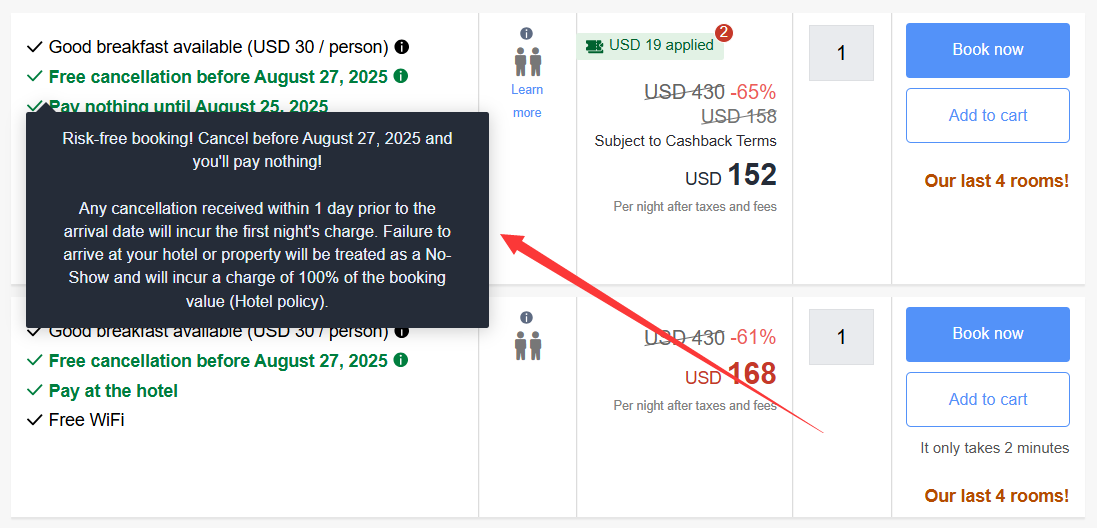
Non-refundable bookings, which offer lower rates, do not permit cancellations or modifications; no-shows result in full payment forfeiture.
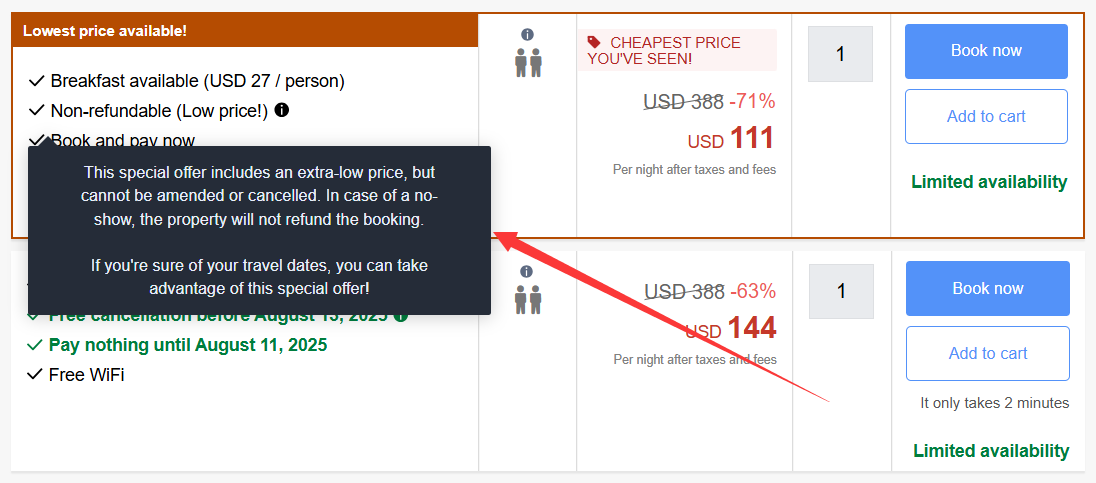
To apply this practically, always check the policy details on the booking page before confirming. Look for phrases like “free cancellation before [date]” or “non-refundable.”
You can visit agoda's policies page for detailed cancellation policy information.
Agoda’s Refund Policies
Agoda processes refunds efficiently, committing to handle requests within 10 days of submission. For free cancellation bookings, if you cancel before the deadline, expect a full refund without hotel penalties. Refunds for shortened stays or late cancellations deduct applicable fees, often one night's cost, and are processed similarly.
The timeline from Agoda’s approval to funds appearing in your account can take up to 30 days, depending on your bank, plus any currency conversion if the original payment was in a different currency. Agoda settles in USD, so expect potential exchange rate differences; contact customer support if losses seem excessive, as some users have successfully recovered them.
You can visit agoda's policies page for detailed refund policy information.
How to Cancel a Booking on Agoda?
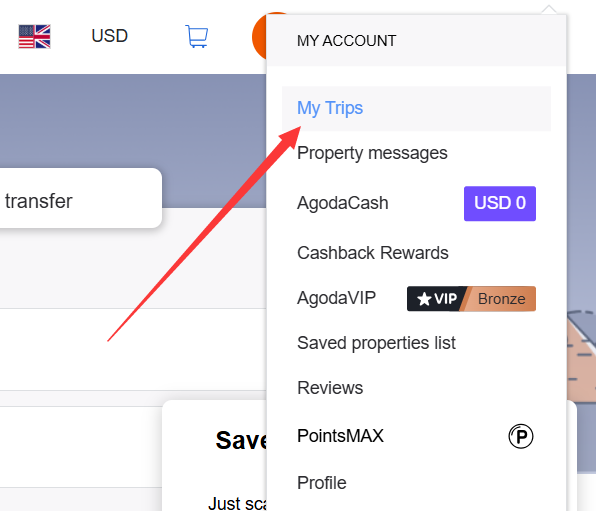
Canceling on Agoda is straightforward through their website or app. Start by logging into your account and navigating to “My Trips” from the dropdown menu under your name.
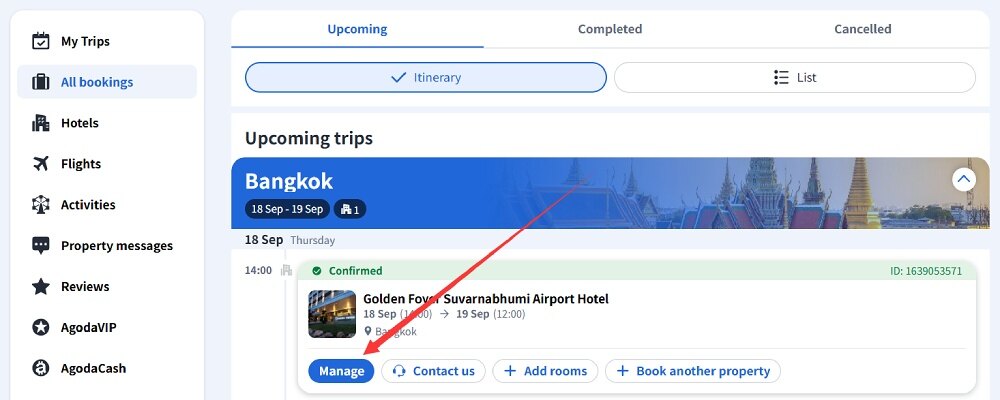
Locate the order and click “Manage.”
Scroll to the “Cancellation Policy” section, where you’ll find the cancel button if eligible.
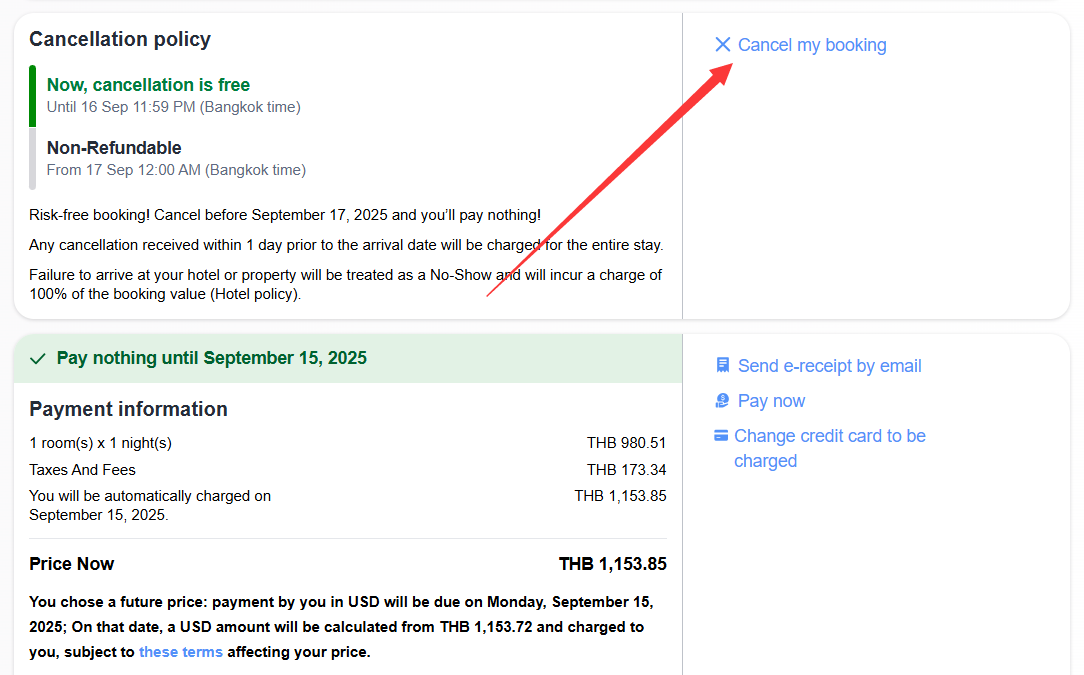
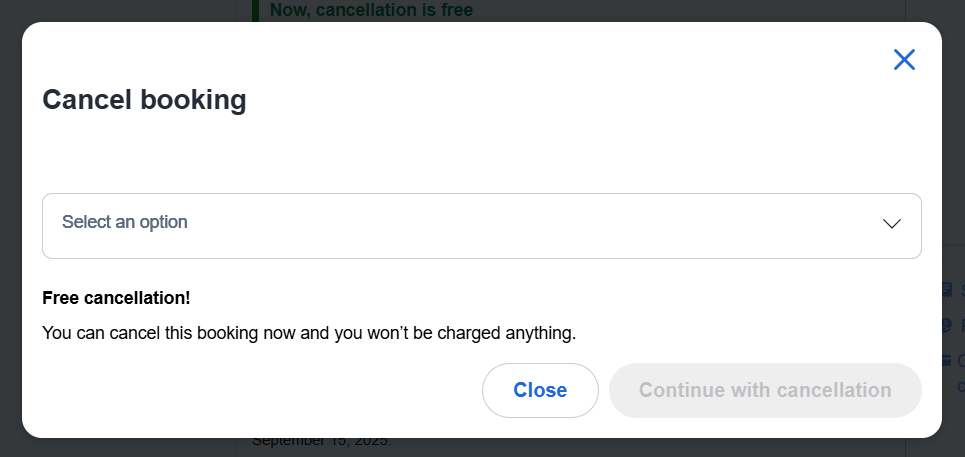
After clicking “Cancel my booking,” the system will ask for a reason—choose one and proceed.
A final confirmation prompt appears, select to complete the cancellation.
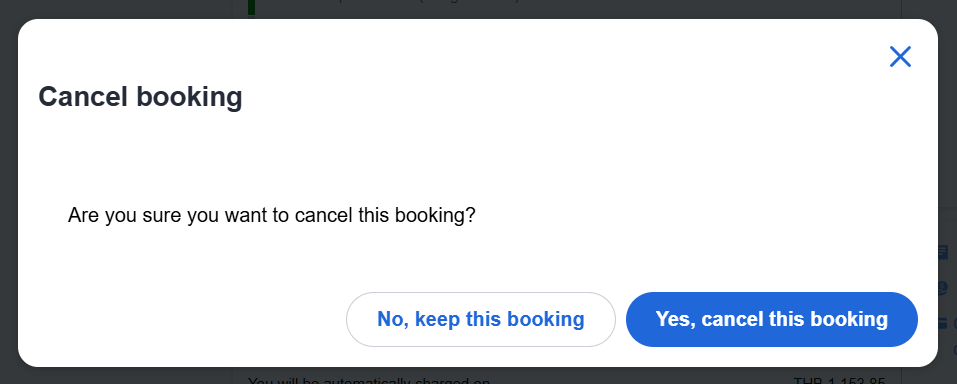
After clicking “Yes, cancel this booking,” the cancellation process is complete.
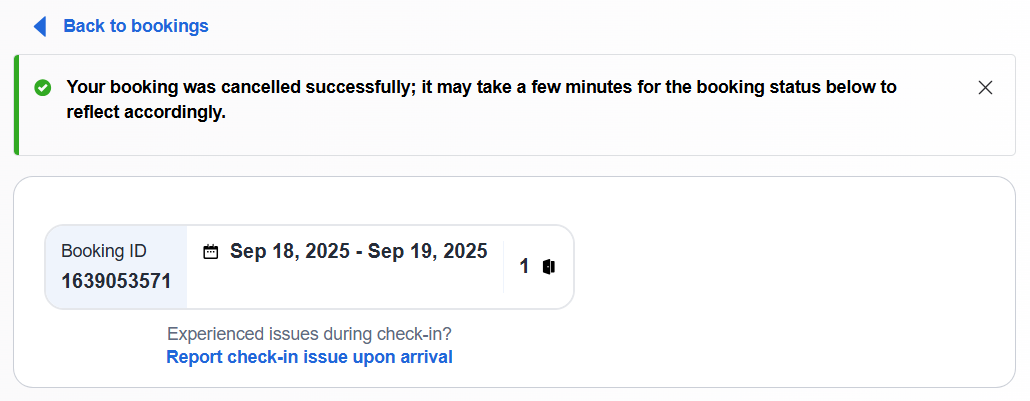
You’ll receive an email confirmation, and the status updates in your account.
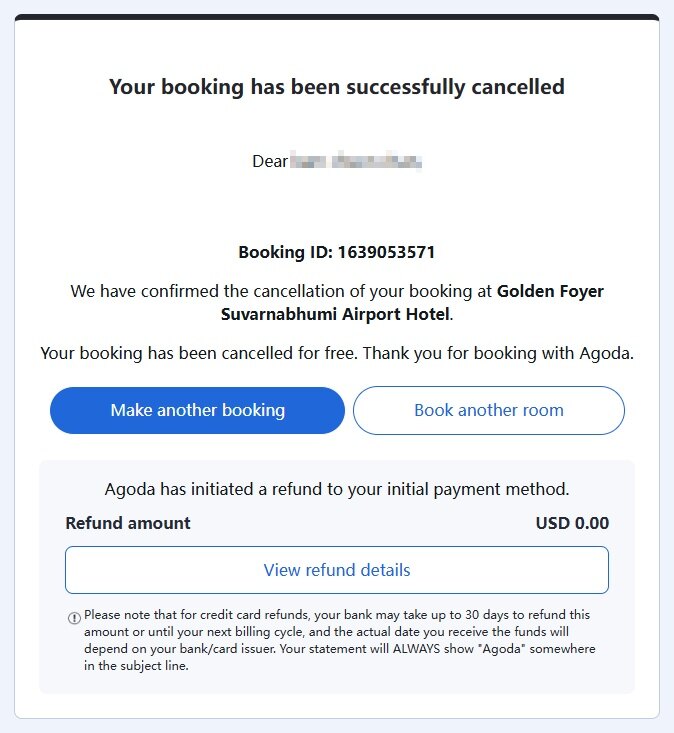
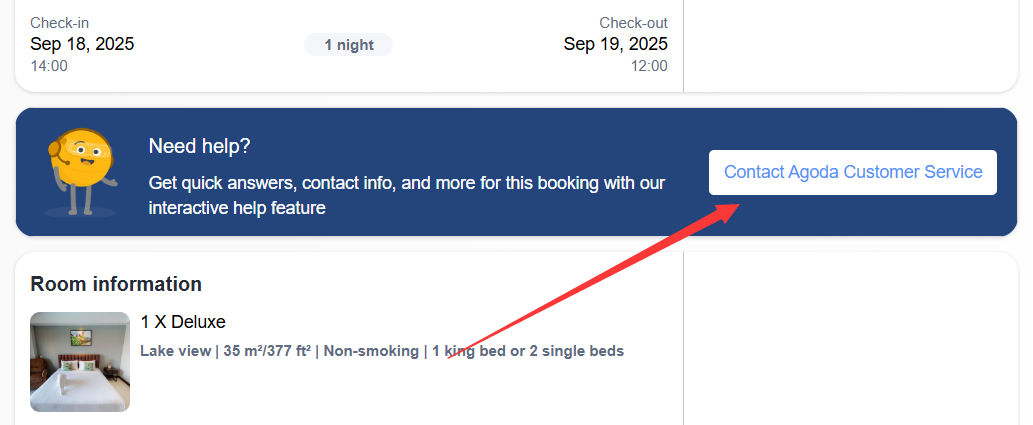
If issues arise, use the “Contact Agoda Customer Support” option for live chat. Remember, all changes must go through Agoda, not the hotel directly.
Dealing with Non-Refundable Bookings
Non-refundable orders are binding, meaning no cancellations or refunds for personal reasons like date errors or travel changes. However, in exceptional cases such as natural disasters, you might negotiate.
Contact Agoda first with your order number and last four digits of your payment card. Explain your situation clearly and politely; they act as intermediaries and may liaise with the hotel. If unsuccessful, request the refund as AgodaCash credits for future use, which can incentivize approval.
As a last resort, reach out to the hotel directly, expressing regret and intent to book again soon. Hotels may accommodate to maintain goodwill, especially if it doesn’t affect their occupancy. Prepare evidence if your reason involves unavoidable circumstances.
Additional Considerations
If your booking used a coupon, it won’t be returned upon cancellation. For AgodaCash, if redeemed on a refundable booking and not expired, it may be reissued with the original expiration date. Expired or non-refundable AgodaCash won’t be restored.
When modifying stays, notify Agoda early to avoid penalties for shortened visits, which often equal one night’s fee on short notice.
Conclusion
To minimize cancellation issues, book refundable rates if your plans are uncertain, even if they cost more. Compare the savings of non-refundable rates against the risk of forfeiture. Always read the fine print on Agoda's booking page and save confirmation emails for reference. For added convenience, use Agoda's app to manage bookings on the go.














All Comments (0)