




Transfer Marriott Points to Others
Marriott Bonvoy lets you move points from one member's account to another. This simple feature helps when you need to combine points for a specific redemption, put everything under the person who has elite status, or just help a family member reach an award.
The process is straightforward, free, and usually completes within minutes once you know the rules.
Who Can Send and Receive Points
Both the sending and receiving accounts must be in good standing with Marriott Bonvoy. The program looks at how long each account has been open.
- If an account is less than 30 days old, it cannot send or receive points at all.
- Between 30 and 90 days, the account needs at least one qualifying activity—such as a paid or award stay, or points posted from a Marriott credit card—before it can participate in transfers.
- Once an account reaches 90 days, no activity is required to send or receive points.
The two accounts do not need to share the same address or last name. You can transfer points to anyone who meets the basic requirements.
Please note: Gifting or transferring points to another member does not count toward maintaining an active status in the Loyalty Program.
Annual Limits and Transfer Minimums
Transfers come with clear boundaries to prevent overuse. No fees apply, which keeps things straightforward.
- Minimum Transfer: 1,000 points (in 1,000-point increments).
- Sending Limit: Up to 100,000 points per calendar year per account.
- Receiving Limit: Up to 500,000 points per calendar year per account.
- Frequency: Maximum of 2 transfers per month; 6 per year.
- Processing Time: Up to 24 hours.
These caps reset each January 1. Track your activity to stay within bounds—exceeding them blocks further transfers until the next cycle.
How to Make the Transfer
The simplest way to transfer points is through Marriott’s website or app.
Here’s the process:
- Log in to your sending account at marriott.com using your email and password.
- Navigate to the “Redeem Points” section and click “Share My Points (Transfer Points).”
- Enter the recipient’s full name, Bonvoy number, and the exact number of points to send. All details must match their account precisely.
- Review the confirmation, which states you’ll lose all rights to the points.
- Click “Transfer Points Now” to submit.
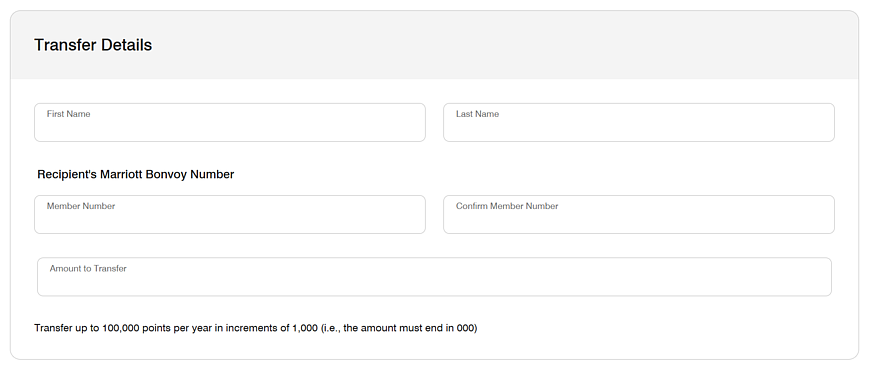
If online access isn’t an option, call Marriott Bonvoy Customer Services at 800-627-7468 (U.S.) and provide both account details for verification. Expect the representative to process it on the spot. Transfers initiated by phone or customer service typically show up faster than online ones.
Important Details Most People Miss
Transferred points keep their original earning date for expiration purposes, but in practice the entire balance in an account expires only if the account has no qualifying activity for 24 consecutive months. A transfer itself does not count as activity and will not prevent expiration.
Once points leave your account, you cannot get them back, even if the recipient never uses them. Marriott will also cancel transferred points if they land in an account that is currently inactive or becomes inactive before the points would otherwise expire.
When Transfers Are Actually Useful
The most common sensible uses are:
- Combining points from two spouses or partners into the account that holds elite status so the stay receives upgrades, lounge access, and breakfast benefits.
- Pooling points from several family members into one account to reach a high-value redemption or to qualify for the fifth-night-free benefit on a five-night award stay.
- Moving points out of an account that is about to go inactive so the points do not disappear.
Final Thoughts
Transferring Marriott Bonvoy points is free, fast, and limited only by the monthly and annual caps on points and the number of transactions. Done correctly, it lets you treat points from multiple household members as one shared pool without needing a formal “family account” feature.
Just double-check that the receiving account has had recent activity, confirm the first name, last name, and member number are exact, and remember the move is permanent. That's all there is to it.
For more details, here are some helpful resources:















All Comments (0)