


Book Flights for Children and Infants
Planning a family trip involves many moving parts, and navigating airline rules regarding younger passengers is often the most confusing aspect. Policies differ significantly between airlines, and third-party booking platforms like Agoda (and its counterparts like Booking.com and Expedia) add another layer of complexity to the process.
This guide clarifies how these platforms handle flight bookings for minors, defines the specific age categories you must know, and outlines the necessary steps to ensure your family travels together without administrative issues at the airport.
The Critical Distinction: Flights vs. Hotels
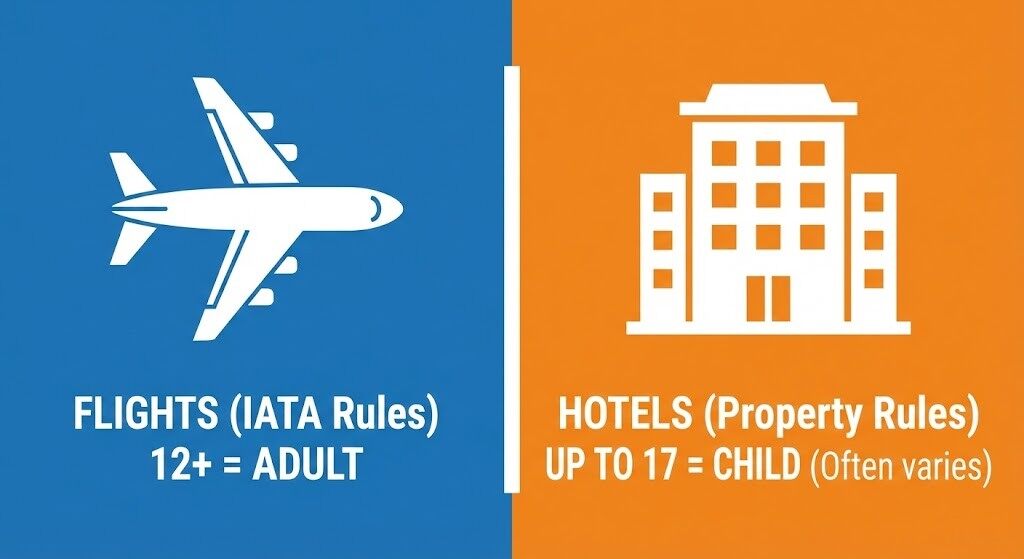
Before searching for tickets, you must recognize a specific quirk within the online travel ecosystem. Agoda—much like Booking.com—separates its logic for “Flights” and “Hotels.”
For Flights (Industry Standard): The platform adheres strictly to international airline standards (IATA). A passenger is generally considered an adult once they turn 12. This rule applies across almost all booking sites, including Booking.com and Expedia.
For Hotels (Property Dependent): Property owners set their own policies. Many hotels allow teenagers up to 17 to be classified as children, often staying for free if using existing bedding.
Why this matters: If you are booking a package or separate components for a 13-year-old, you will likely need to book them as an “Adult” for the flight but might be able to book them as a “Child” for the hotel. Always check the specific age policy for the accommodation to avoid overpaying for the room, but never list a teenager as a child on a flight booking to save money—this will result in denied boarding.
Defining Airline Age Categories & Typical Costs
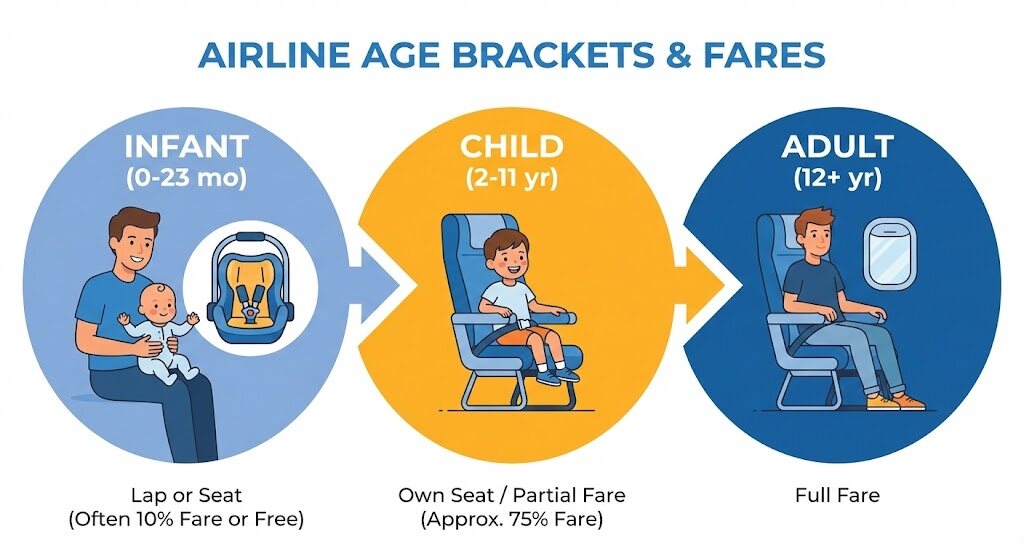
Airlines categorize passengers based on their age on the date of travel, not the date of booking. Using the correct category is essential for ticket validity regardless of which website you use to book.
Infants (0 to 23 months)
Passengers under the age of two are classified as infants. You generally have two options for booking them.
Lap Infant: The child sits on an adult's lap.
On international flights, this usually costs 10% of the adult base fare plus taxes and fees.
On domestic flights (e.g., within the US), lap infants often fly free of charge, though taxes may still apply.
Note that airlines restrict the number of lap infants per row (usually one) due to the number of extra oxygen masks available.
Seated Infant: You purchase a separate seat for the child.
You will pay the applicable Child Fare (if the airline offers one) or the full Adult Fare.
If you book a seat for an infant, you must bring an airline-approved car seat (look for FAA or CARES certification labels). Car seats must typically be installed in a window seat so they do not block the escape path for other passengers.
Important: If your child turns two during the trip (after the outbound flight but before the return), most airlines require them to have their own seat for the return flight. In this scenario, it is often safer to book a seat for the entire journey to prevent booking errors.
Children (2 to 11 years)
Passengers aged 2 through 11 are required to have their own seat.
- Typical Cost (Full-Service Airlines): Carriers like Singapore Airlines, ANA, or Air France often offer a Child Fare, which is typically 75% of the adult base fare.
- Typical Cost (Budget/Low-Cost Airlines): Budget carriers (e.g., Frontier, AirAsia, Ryanair) rarely offer child discounts on third-party sites. While some airlines run specific ‘Kids Fly Free’ promotions, these are typically exclusive to direct bookings and require specific membership status, meaning you will likely pay the full adult price when booking via an OTA.
Adults (12 years and up)
For flight purposes, anyone 12 or older requires a full adult ticket.
Step-by-Step Booking Process
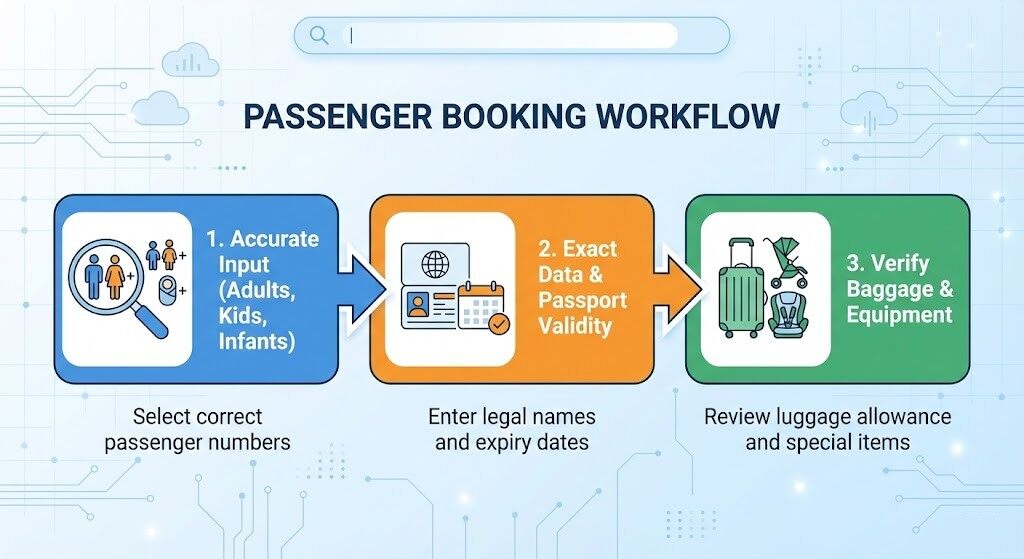
Follow this workflow to minimize errors when securing tickets for your family on Agoda or Booking.com.
Step 1: Accurate Search Parameters
Input the correct number of adults, children, and infants at the very start of your search.
Waiting to add younger passengers later is risky because airlines have a strict quota on the number of infants allowed per flight, governed by safety equipment limits like oxygen masks. Even if there are plenty of adult seats, the “infant quota” might be full, so you should always book the whole family in a single transaction.
Furthermore, accurate input ensures pricing transparency. Platforms automatically calculate the total price based on the ages you enter. If you do not see a specific discount for your 5-year-old, it likely means the selected airline—usually a budget carrier—does not offer distinct child fares.
Step 2: Data Entry and Passport Matching
Enter the child's name exactly as it appears on their passport, as a common mistake involves using nicknames or abbreviated names. Beyond the name, you must ensure the passport is valid for at least six months beyond your return date.
During checkout, consider the ‘Protect Your Trip’ or insurance option carefully, as children are prone to sudden illnesses that can prevent flying.
Additionally, be mindful of border control documentation: if you are traveling alone with a child, authorities may require a notarized letter of consent from the non-traveling parent. For domestic travel with a lap infant, always keep a digital or physical copy of the birth certificate handy to verify age at the gate.
Step 3: Verify Baggage and Equipment
Baggage rules for infants vary significantly, so it is crucial to verify details before paying.
Generally, lap infants do not receive a checked bag allowance, although airlines typically allow you to gate-check a stroller and car seat for free. In contrast, seated children usually receive the same baggage allowance as the ticket class purchased.
To avoid surprises, always expand the “Baggage details” or “Flight Details” section on the checkout page to confirm exactly what is included for each passenger type before paying.
Navigating Airport Security with Kids
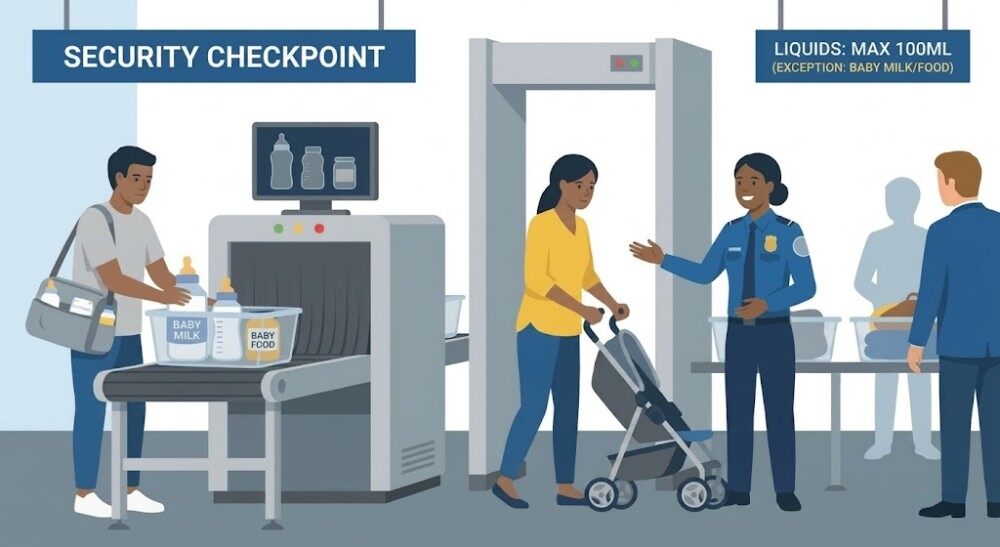
While the OTA handles the booking, preparing for the airport is the next step.
Most airport security agencies (like TSA) allow parents to exceed the standard liquid limits (100ml/3.4oz) for breast milk, formula, and baby food, provided you declare these items to security officers separately.
Additionally, regarding strollers, you can usually keep your stroller with you until you reach the boarding gate. At that point, it will be “gate-checked” and returned to you immediately upon landing.
Managing Unaccompanied Minors
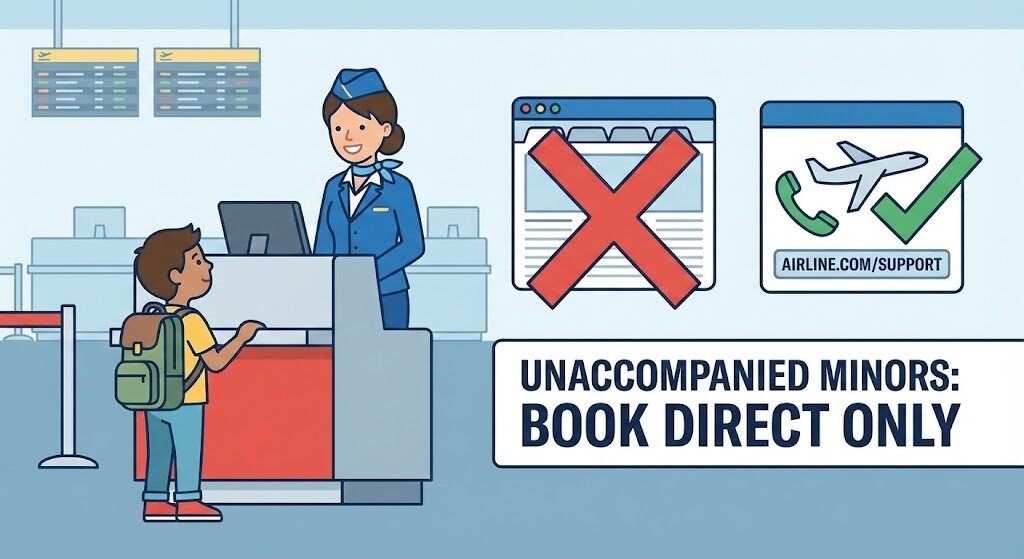
Do not use Agoda, Booking.com, or any OTA to book travel for a child flying alone.
Airlines have strict legal protocols for Unaccompanied Minors (UM), requiring specific paperwork, guardian handover signatures, and supervision fees. Third-party platforms like Agoda, Booking.com, and Expedia are generally not set up to collect this specific data or process the mandatory UM fees during checkout.
If you book a child alone on an OTA, the system may process it as a standard adult ticket (since 12+ is technically an adult fare). However, the airline may deny boarding at the airport because the UM service was not arranged in advance. Always book unaccompanied minors directly through the airline's official website or customer service line.
Essential Post-Booking Actions
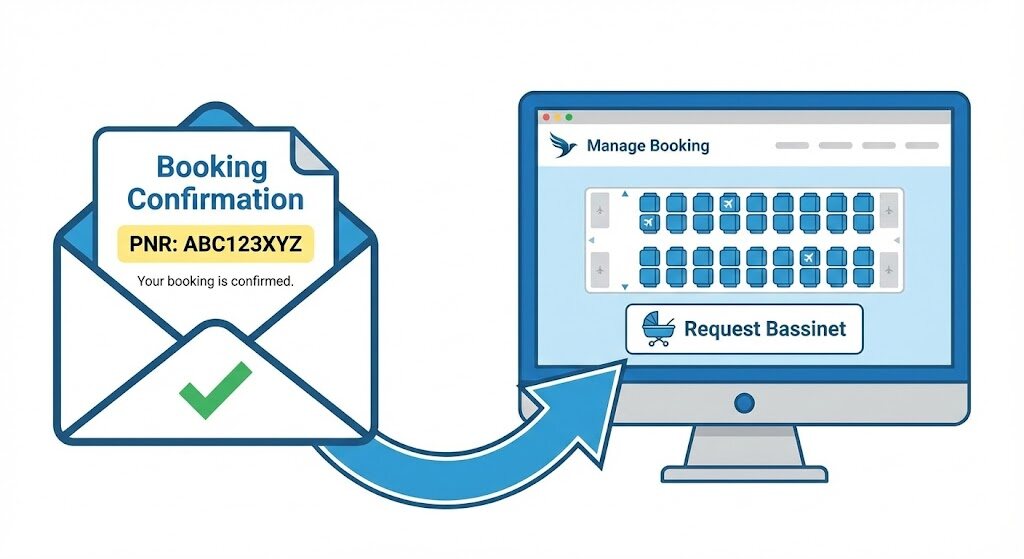
Once you receive your confirmation email, your work is not quite finished. The platform acts as the booking agent, but the airline operates the flight. You should take the following steps immediately:
- Locate the Airline Reference Number: Look for the PNR (Passenger Name Record) in your confirmation email. It is usually a six-character alphanumeric code.
- Go to the Airline's Site: Log in to the “Manage My Booking” section on the airline’s official website using that code.
- Select Seats: OTAs do not always guarantee family seating. You must verify directly with the airline that you are seated together. If the system separates you, call the airline immediately.
- Request Amenities: Special requests like children’s meals must be made directly through the airline’s portal. For bassinets, be aware that they are subject to strict weight and age limits (often capping at roughly 10-14kg) and are assigned on a first-come, first-served basis, so log in to reserve one immediately after booking.
Troubleshooting: Adding a Child to an Existing Booking
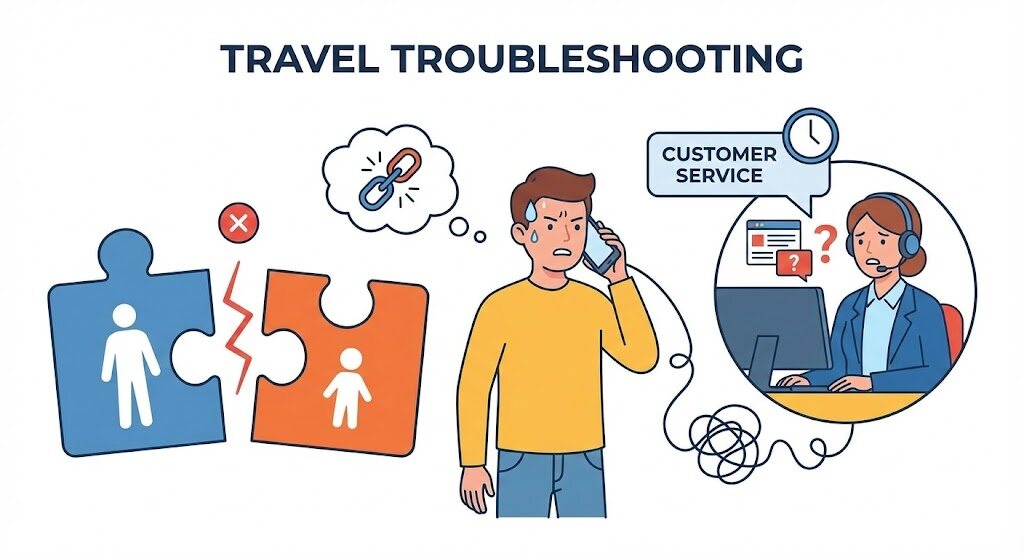
A common scenario involves a parent booking their own ticket and later deciding to bring a child. You cannot simply “add” a passenger to an existing reservation on Agoda or Booking.com.
The Solution:
- For a Child (2+): You must make a new booking for the child. However, since online systems often block children from booking alone, you may need to book it as an adult ticket (if the system allows) and then call the airline to link the two reservation numbers.
- For an Infant: It is rarely possible to add a lap infant via an OTA after the fact. You will likely need to call the airline's customer service directly to pay the infant tax and have them added to your ticket manually.
Final Thoughts
Booking for families requires attention to detail. By understanding that flight age brackets are rigid industry standards—and distinct from flexible hotel policies—you can avoid surprise fees on Agoda, Booking.com, or any other booking site.
Always book all family members in a single transaction whenever possible, and use the airline’s direct management tools to handle seating and meals immediately after payment.













All Comments (0)